
Introduction
Product images play a crucial role in the success of an online store. Customers cannot physically touch, examine or try products before purchasing them, so they rely heavily on photographs to understand what they are buying. Clear, attractive and accurate product images can help customers evaluate products, build confidence in a brand and make informed purchasing decisions.
This is why planning a professional e-commerce photoshoot is an important step for any business selling products online.
Simply taking a few pictures of your products is not always enough. Your online store may need clean catalogue images, close-up details, lifestyle photographs, multiple product angles and images suitable for advertising and social media. Without a clear plan, you may finish a photoshoot with attractive pictures but still lack important images for your product pages.
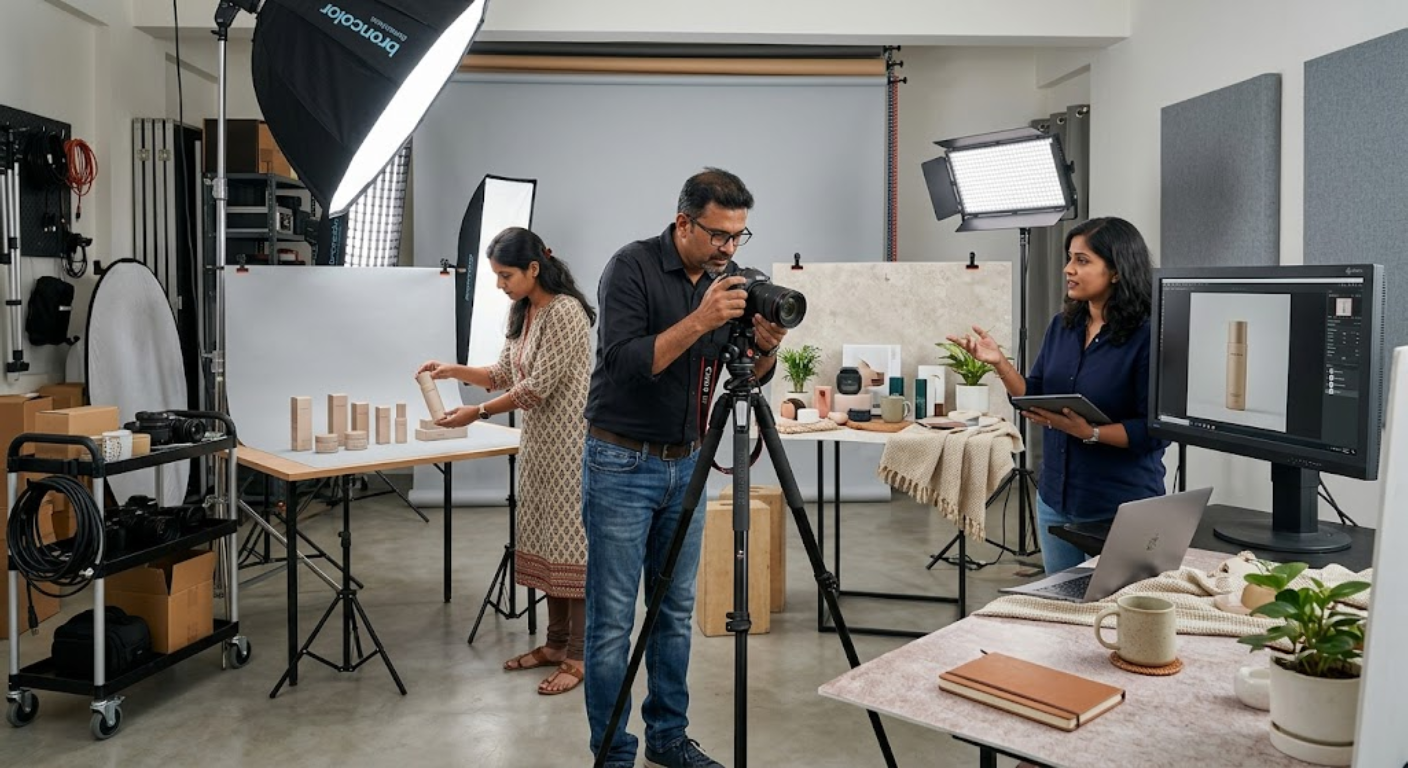
A successful e-commerce photoshoot begins before the camera is switched on. You need to identify your product photography requirements, prepare the products, select suitable backgrounds, plan lighting, create a shot list and understand the image specifications required by your sales channels.
For businesses in Mumbai and across India, professional product photography can support everything from independent online stores to large e-commerce catalogues and marketplace listings.
With the right preparation, one well-organised photoshoot can produce a versatile collection of product images for your website, marketplaces, social media, advertisements and other marketing channels.
This guide explains how to plan a professional e-commerce photoshoot, avoid common production mistakes and create product photographs that serve your online store effectively.
1. Define the Goals of Your E-commerce Photoshoot
Before booking a photography studio or preparing your products, decide what you want your photoshoot to achieve.
Different businesses have different product photography requirements. A jewellery store may need detailed close-up images, while a furniture brand may require lifestyle photographs showing products inside realistic interiors.
Start by identifying the main purpose of the shoot.
Consider whether you need photographs for:
- New product launches
- Existing product catalogue updates
- E-commerce product pages
- Amazon and other marketplace listings
- Seasonal campaigns
- Social media promotions
- Paid advertising
- Product brochures
- Website banners
- Brand storytelling
Your goals determine the number and type of photographs you need.
For example, if you are launching 30 new products, you may prioritise consistent catalogue images and multiple angles for every product. If you are promoting a smaller collection, you may invest more time in lifestyle photography and campaign visuals.
Define your priorities before production begins. This allows you to allocate time, equipment and budget according to the images that matter most.
2. Understand Your Target Customers
Your product photographs should help your intended customers make purchasing decisions.
Different audiences look for different details when evaluating products online.
A customer purchasing clothing may want to understand the fit, fabric, colour and overall appearance. Someone buying electronics may want clear views of the ports, buttons, accessories and product dimensions. A jewellery customer may pay particular attention to finishing, craftsmanship and fine details.
Before your e-commerce photoshoot, ask yourself:
- Who is most likely to purchase this product?
- What information will they need before buying?
- Which product features are most important?
- What concerns might prevent them from purchasing?
- Would lifestyle images help explain the product?
- Which details require close-up photography?
Answering these questions helps you prioritise the right shots.
For example, if customers frequently ask about the size of a product, include photographs that communicate scale accurately. If material quality is an important selling point, capture close-ups that reveal the texture.
The objective is not simply to make products look attractive. It is to create images that answer relevant customer questions.
3. Prepare Every Product Before the Shoot
Product preparation is one of the most important steps in planning a professional e-commerce photoshoot.
Even expensive photography equipment cannot fully compensate for products that are dusty, damaged, poorly assembled or incorrectly styled.
Inspect every product before the shoot.
Your preparation checklist should include:
- Cleaning surfaces and removing dust
- Checking for scratches or damage
- Removing unnecessary packaging materials
- Steam-ironing clothing where appropriate
- Polishing jewellery and reflective surfaces
- Checking product labels and packaging
- Ensuring products are fully assembled
- Confirming all accessories are available
- Preparing spare products when possible
- Organising products by category or collection
If you are photographing multiple variations of the same product, arrange them in a logical order.
For example, clothing in different sizes or colours should be clearly labelled. Product variants should be checked carefully to ensure the correct version is photographed.
Preparation reduces interruptions and helps maintain consistency across the final image collection.
4. Create a Detailed Product Photography Shot List
A shot list is essential when planning an e-commerce photoshoot, especially when you need to photograph many products.
Without a shot list, you may forget important angles or discover after the shoot that some product details were never captured.
Create a list of required photographs for each product or product category.
A practical shot list may include:
- Main product image
- Front view
- Back view
- Side view
- Three-quarter angle
- Close-up details
- Product packaging
- Included accessories
- Product-in-use image
- Lifestyle photograph
- Size or scale reference
- Alternate colour or design variants
Not every product requires every type of photograph. Select shots according to the product’s characteristics and your customers’ needs.
For a simple product, three or four carefully planned images might be sufficient. A complex product may require more angles and explanatory details.
You should also record the intended image orientation and destination where useful.
This helps your photographer capture the right compositions during the shoot rather than relying on cropping or additional sessions later.
5. Choose the Right Background for Each Product
Background selection affects how clearly your product appears and how well the photograph fits your brand.
A simple background is often suitable for primary catalogue images because it keeps attention on the product.
Lifestyle backgrounds can provide context and help customers understand how a product fits into everyday life.
Consider these options:
- Clean white background: Useful for many catalogue and marketplace images, subject to platform requirements.
- Neutral background: Suitable for products that benefit from a subtle, premium presentation.
- Coloured background: Useful for brand campaigns and creative product compositions.
- Lifestyle setting: Shows products in a realistic environment.
- Textured background: Can complement materials such as wood, fabric, stone or handmade products.
- Seasonal setting: Useful for relevant festive or promotional campaigns.
Choose the background according to the product, brand identity and image destination.
Avoid backgrounds that compete with the product or make its shape difficult to understand.
If you are photographing a large catalogue, maintain consistent background rules for similar products. This helps your online store look organised and professional.
6. Plan Lighting for Accurate Product Presentation
Lighting determines how customers see a product’s colour, texture, shape and surface quality.
Poor lighting can create distracting shadows, hide important details or make product colours look inaccurate. Reflective products may also show unwanted reflections if the lighting setup is not carefully planned.
The right lighting approach depends on the product.
For example:
- Clothing requires lighting that reveals fabric texture and colour.
- Jewellery may need carefully controlled highlights and reflections.
- Cosmetics may benefit from soft lighting that reveals packaging and product details.
- Glass products require careful reflection and edge control.
- Food products need lighting that communicates freshness and texture.
- Electronics may require controlled highlights to show shape without distracting glare.
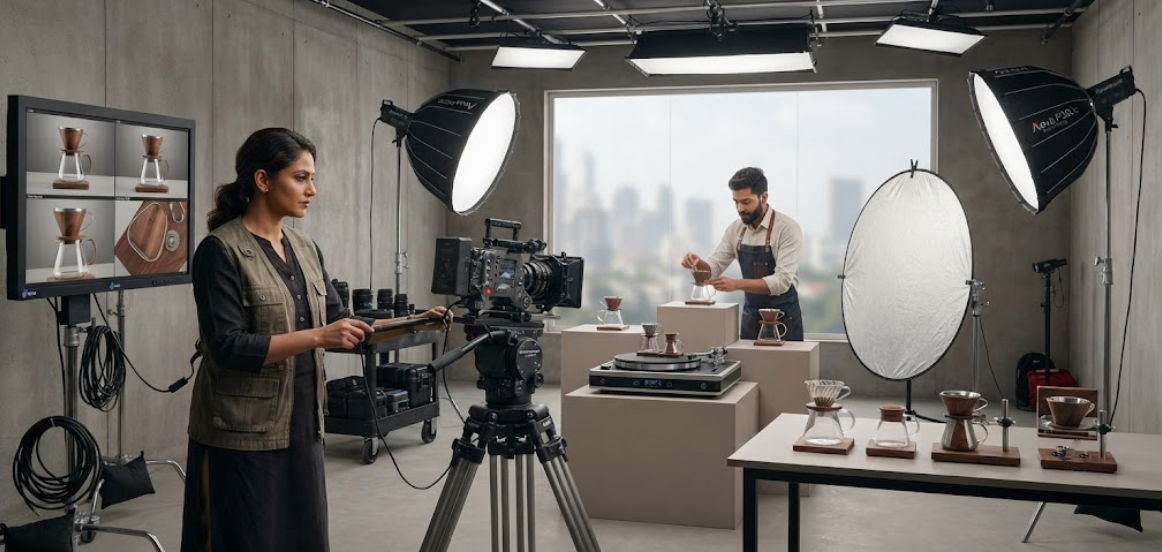
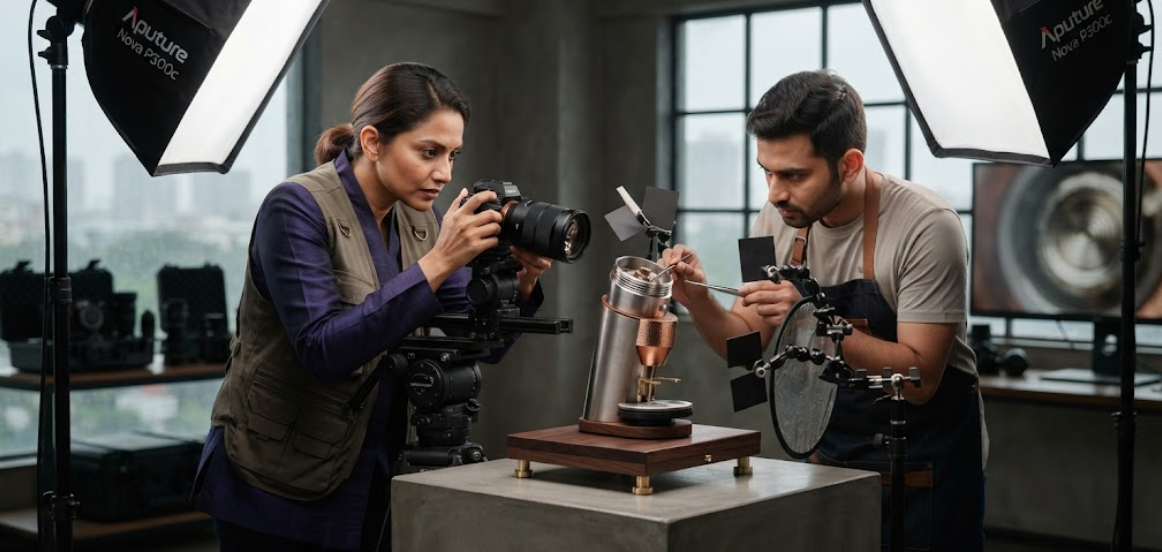
Professional softboxes, diffusers, reflectors and other lighting modifiers help photographers control the result.
The goal is not necessarily to create dramatic lighting. For most e-commerce product images, clarity, accuracy and consistency should remain priorities.
7. Capture Multiple Angles and Close-Up Details
Customers often need more than one photograph to understand a product properly.
Multiple angles provide a more complete view and reduce uncertainty about the product’s design and construction.
During your e-commerce photoshoot, capture the views that best communicate the product’s important features.
For example, a handbag might need front, back, side, interior and stitching photographs. A kitchen appliance might need views of its controls, attachments, connections and dimensions. Jewellery may require close-ups of stones, clasps and finishing.
A useful approach is to divide your images into three groups:
- Overview images: Show the overall appearance and shape.
- Feature images: Highlight important components and functions.
- Detail images: Reveal materials, texture and craftsmanship.
This approach helps customers move from understanding the product’s appearance to evaluating its features.
Keep the product positioned consistently where appropriate, particularly when photographing variations within the same collection.
8. Include Lifestyle and Product-in-Use Photography
Catalogue images show what a product looks like. Lifestyle photographs help customers understand how it fits into their lives.
This distinction matters because purchasing decisions are not always based on product specifications alone. Customers may also want to imagine using the product at home, at work, while travelling or during everyday activities.
Depending on your product category, consider capturing:
- Products being used naturally
- Products arranged in realistic environments
- Models wearing or demonstrating products
- Hands interacting with the product
- Products alongside relevant accessories
- Different product sizes or use cases
- Images that communicate the product’s intended audience
For example, a skincare brand can combine clean packaging photographs with images showing the product as part of a skincare routine.
A furniture business can capture individual product images and lifestyle photographs showing the furniture in a furnished room.
Lifestyle images should remain believable and relevant. Avoid adding unnecessary props that distract from the product or create misleading expectations.
9. Prepare Images for Marketplaces and Your Own Website
Your product images may need to satisfy different requirements depending on where they are published.
An independent online store may allow more creative flexibility, while a marketplace may specify particular rules for main images, backgrounds, dimensions or product presentation.
Before the photoshoot, review the current requirements for every important sales channel.
Check:
- Accepted image dimensions
- Aspect ratio requirements
- File formats
- Main image background rules
- Product visibility
- Cropping requirements
- Restrictions on added graphics
- Secondary image requirements
- Mobile display considerations
Do not assume that one export will automatically work perfectly everywhere.
Capture high-resolution master photographs first, then create platform-specific versions during editing and export.
This preserves flexibility while helping the final images meet each destination’s technical and visual requirements.
10. Plan Product Photography for Social Media and Advertising
Your e-commerce photoshoot can produce more value when it includes images beyond the basic product listing.
Social media and advertising often require stronger visual storytelling, different orientations and more flexible compositions.
Consider capturing:
- Vertical product portraits
- Square-friendly product compositions
- Wide advertising images
- Product arrangements featuring multiple items
- Lifestyle photographs
- Close-up campaign images
- Product photographs with negative space
- Seasonal promotional imagery
- Product-in-use photographs
- Behind-the-scenes content
Negative space is especially helpful when a designer needs to add a headline, price or call to action later.
Capture some photographs with the product positioned off-centre and others with a more central composition.
This gives your marketing team more options when preparing advertisements, social posts and promotional banners.
Planning these variations during the original session can reduce the need for additional photography later.
11. Organise Your Shoot Day and Manage Time Efficiently
When photographing multiple products, organisation can make a significant difference to the time required.
Switching repeatedly between unrelated products, backgrounds and lighting setups can slow production.
A more efficient approach is to group products by similar requirements.
For example, photograph products that use the same background and lighting setup together. Complete all required angles for one product before moving to the next. Keep product variations clearly organised.
A practical shoot-day checklist includes:
- Confirm the final product list
- Check product condition
- Prepare all accessories and props
- Set up the first background
- Test lighting and camera settings
- Review a sample photograph
- Follow the shot list
- Track completed products
- Check images for missed details
- Back up captured files
Build some flexibility into the schedule for products that require more complicated styling or reflection control.
Efficiency should not come at the expense of image quality.
The goal is to complete the planned photographs in an organised way while ensuring that every product receives the attention it needs.
12. Plan Editing, File Management and Final Delivery
The photoshoot is only one part of the product photography process. Editing and file management determine how easily your business can use the final images.
After the shoot, review the photographs to identify the strongest images and check whether all required views have been captured.
The post-production process may include:
- Selecting the best frames
- Correcting exposure
- Adjusting white balance
- Maintaining accurate product colours
- Removing dust or minor distractions
- Refining backgrounds
- Applying consistent cropping
- Resizing images for different platforms
- Exporting suitable file formats
- Organising files by product and channel
Retouching should improve presentation without misrepresenting the product.
For example, colour correction should aim to represent the actual product accurately rather than making it appear significantly different.
Use clear file names and organised folders so your marketing team can quickly locate the right images.
Keep high-resolution master files separately from compressed web versions.
A well-managed product image library makes future website updates, advertising campaigns and product launches easier to execute.
How MWS India Can Help With Professional E-commerce Photoshoots
MWS India provides professional product photography and content production solutions for businesses that need high-quality images for online stores, marketplaces, social media and digital marketing.
A planned e-commerce photoshoot can include:
- Main catalogue images
- Multiple product angles
- Product detail photography
- Lifestyle photography
- Product-on-model photography
- Packaging photography
- Marketplace-ready images
- Website banner photography
- Social media product images
- Advertising compositions
- Product videos
- Professional retouching and image editing
By planning the shot list, backgrounds, lighting and final image requirements in advance, businesses can create a more useful collection of product photographs in a structured production session.
MWS India’s professional studio environment supports controlled lighting, product styling and consistent photography workflows.
For Mumbai businesses, combining different product image requirements in one session can help create a visual library for e-commerce listings, website updates, social media posts and marketing campaigns.
The objective is to help businesses present their products clearly and professionally wherever customers discover them online.
Conclusion
A successful professional e-commerce photoshoot begins with planning rather than simply taking product pictures.
Start by defining your goals, understanding your customers and preparing every product carefully. Create a detailed shot list, choose appropriate backgrounds, plan lighting and capture the product angles and details that customers need to see.
Do not overlook lifestyle photography, marketplace requirements, social media formats and advertising compositions. These additional images can make your product photography more useful across different marketing channels.
Finally, plan editing, file naming and image delivery so the photographs remain easy to manage and reuse.
With the right preparation and professional execution, one e-commerce photoshoot can produce a versatile collection of product images that supports your online store, strengthens your brand presentation and helps customers make more informed purchasing decisions.