
Podcast interviews are an effective way for entrepreneurs, content creators, and businesses to share knowledge, discuss industry trends, and connect with their audiences. While a meaningful conversation is the foundation of a successful interview, professional High-Quality Podcast video production plays an equally important role in keeping viewers engaged. A multiple-camera setup helps capture different perspectives, facial expressions, and reactions, creating a more dynamic viewing experience.
Recording podcast interviews with multiple cameras requires proper planning, suitable equipment, and a well-organised studio environment. From selecting camera angles to managing lighting and synchronising footage, every detail contributes to the final production quality. With the right setup, creators can produce professional podcast interviews suitable for YouTube, social media, and other digital platforms.
1. Plan Your Multi-Camera Recording Setup
Before starting a podcast interview, plan how many cameras you need and where they should be positioned. The setup should capture both the host and guest clearly while providing enough visual variety for editing.
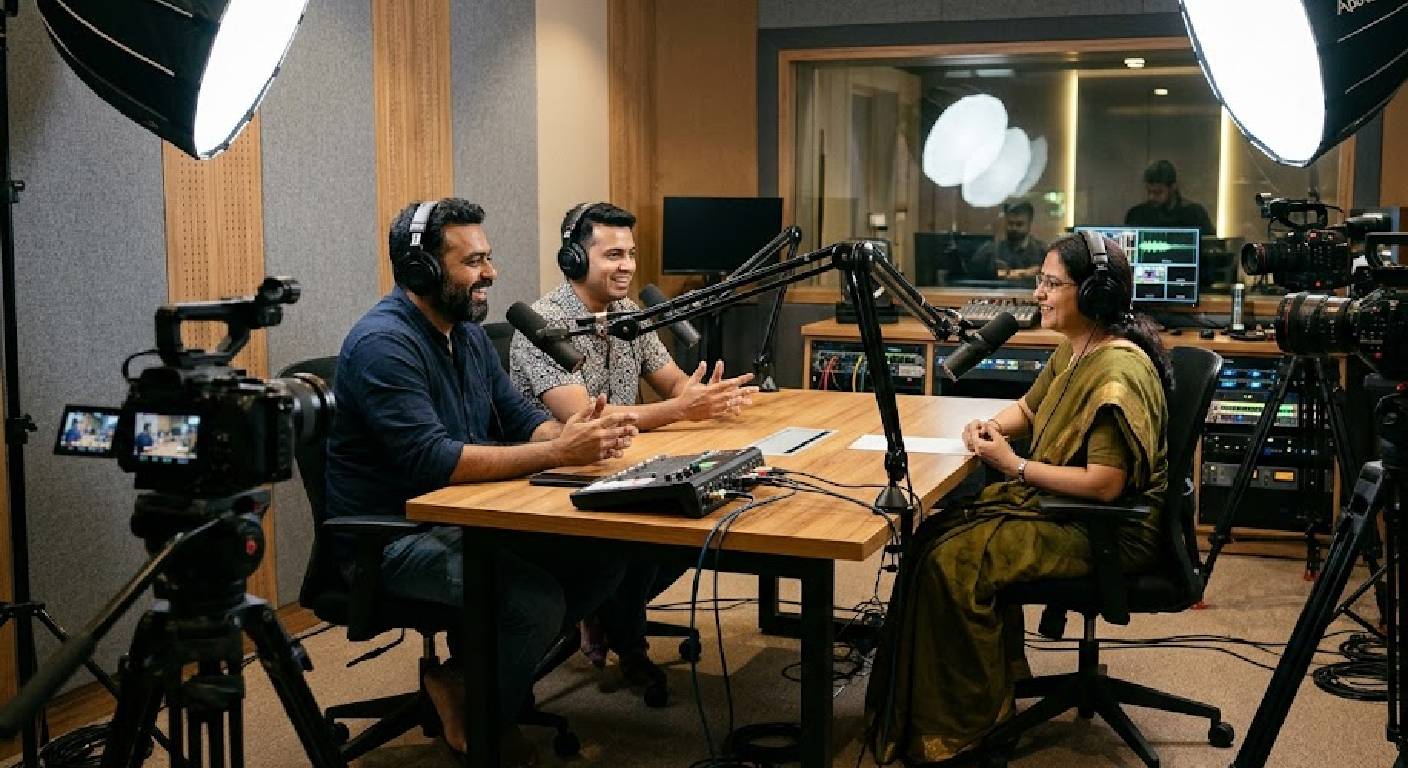
A typical two-person podcast interview can use three cameras: one focused on the host, another focused on the guest, and a third capturing a wider view of both participants. This arrangement provides multiple perspectives and makes it easier to switch between shots during post-production.
2. Choose the Right Cameras and Equipment
Camera quality directly affects the appearance of your podcast interview. Professional cameras with suitable lenses can capture sharp footage, natural colours, and clear facial details. However, selecting equipment should depend on your recording requirements, studio space, and production budget.
Important equipment to consider includes:
-
High-resolution cameras for detailed video recording.
-
Suitable lenses for close-up and wide-angle shots.
-
Stable tripods to maintain consistent camera positioning.
-
External monitors to check framing and exposure.
-
Memory cards and power supplies for uninterrupted recording.
Using compatible cameras and maintaining consistent settings across devices helps create footage that looks uniform when combined during editing.
3. Position Cameras for Different Perspectives
Camera placement determines how viewers experience the conversation. Each camera should have a specific purpose, and its framing should complement the other angles.
A wide camera can capture the complete interview setup, while individual cameras focus on the host and guest. Slightly different angles help create natural transitions during editing. Avoid placing cameras too close to each other or using positions that interfere with the participants’ eye contact and conversation.
4. Maintain Consistent Lighting Across All Cameras
Lighting is essential when recording interviews from multiple angles. If one participant appears brighter or darker than the other, the final video may look inconsistent. A properly planned lighting arrangement helps maintain balanced exposure and natural skin tones across every camera view.
Use suitable key and fill lighting to illuminate the host and guest evenly. Background lighting can add depth to the studio environment without distracting viewers. Before recording, check how the lighting appears through each camera to ensure consistent brightness and colour.
5. Ensure Clear Audio for Every Participant
Even when video production involves multiple cameras, audio quality should remain a top priority. Each participant should have a suitable microphone positioned to capture their voice clearly without picking up unnecessary background noise.
Separate audio channels are useful because they allow editors to adjust the host’s and guest’s voices independently. Before the interview begins, test microphone levels, check headphone monitoring, and listen for unwanted noise. Clear audio helps maintain a professional listening experience throughout the conversation.
6. Synchronise Multiple Camera Recordings
When several cameras record the same interview, their footage must be synchronised during editing. Proper synchronisation ensures that the video angles match the actual conversation and that audio remains aligned with participants’ movements and speech.
A few useful synchronisation practices include:
-
Start all cameras before the interview begins.
-
Use a visible clap or sync marker to align footage.
-
Record continuous audio using a dedicated recording device.
-
Maintain consistent frame rates and recording settings.
-
Check synchronisation before moving into detailed editing.
These steps make post-production more organised and reduce the time required to correct recording differences.
7. Use Professional Editing to Create Dynamic Interviews
Multiple-camera footage provides editors with different angles to make podcast interviews more engaging. Instead of showing one continuous shot, editors can switch between the host, guest, and wide camera view based on the conversation.
Close-up shots can highlight important reactions, while wide shots help viewers understand the overall discussion. Professional editing can also include colour correction, audio balancing, transitions, subtitles, and branding elements. The goal is to maintain a natural conversation flow without unnecessary camera changes or distracting effects.
8. Record in a Professional Podcast Studio
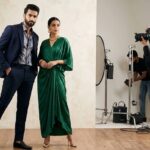
Producing a multi-camera podcast interview independently can be challenging because it requires multiple cameras, microphones, lighting equipment, recording devices, and technical coordination. A professional podcast studio provides an organised environment where these elements can work together effectively.
Before booking a studio, check its camera arrangements, lighting facilities, audio recording equipment, acoustic treatment, and technical support. An experienced production team can help manage camera positioning, recording quality, and post-production requirements. This allows hosts and guests to concentrate on the conversation while maintaining professional video standards.
Conclusion
Recording high-quality podcast interviews with multiple cameras requires careful planning, suitable equipment, balanced lighting, clear audio, and professional editing. A well-organised camera setup captures different perspectives and reactions, making conversations more visually engaging for viewers.
Whether you are producing business interviews, expert discussions, or creator-focused podcasts, a multi-camera approach can improve the overall presentation of your content. With professional recording facilities and consistent production techniques, you can create polished podcast interviews that strengthen your brand and connect effectively with your audience.