
Introduction
Product Demonstration Videos help customers understand how a product works, what problems it solves, and why it may be the right choice for their needs. Instead of relying only on product descriptions and photographs, businesses can use video to show features in action, explain practical benefits, and answer common questions before a customer makes a purchase.
For e-commerce brands, manufacturers, technology companies, beauty businesses, and consumer product sellers, a well-planned demonstration video can make a product easier to evaluate. Customers can see how to use it, understand its size and functionality, and get a clearer idea of what to expect after buying it.
However, an effective product video is not simply a recording of someone holding an item in front of a camera. It needs a clear purpose, a logical structure, engaging visuals, accurate information, and a strong connection to customer needs.
In this guide, we explain how to create Product Demonstration Videos that help customers make informed buying decisions, from planning the script and filming product features to editing, publishing, and measuring results.
1. Understand the Purpose of Product Demonstration Videos
Before planning a shoot, define what the demonstration needs to achieve. Product Demonstration Videos should help customers understand the product more clearly and address questions that could prevent them from purchasing it.
The purpose will depend on the product, its complexity, and the stage of the customer journey.
Show How the Product Works
Some products are easy to understand from a photograph, while others require a demonstration. Electronics, kitchen appliances, software, beauty tools, fitness equipment, and technical products can benefit from showing the steps involved in using them.
Explain the Most Important Features
Choose the features that genuinely matter to customers. Instead of listing every specification, show the functions that make the product useful in real situations.
Solve a Customer Problem
A demonstration becomes more relevant when it connects a feature to a specific need. For example, showing how a storage product organizes a small workspace is more informative than simply rotating the product in front of a camera.
Reduce Uncertainty Before Purchase
Customers may want to understand setup requirements, product dimensions, operating steps, cleaning instructions, compatibility, or included accessories. A video can answer these questions visually.
Support the Sales Process
A demonstration can complement product pages, sales presentations, social media campaigns, and customer support materials. It should provide useful information rather than rely on exaggerated claims or pressure tactics.
2. Identify Your Target Customer and Their Questions
The most effective Product Demonstration Videos are created around customer needs rather than the company’s desire to display every product feature.
Before filming, consider who will watch the video, what they already know, and what information they need to make a decision.
Understand Your Ideal Customer
Identify your primary audience and their level of familiarity with the product. A first-time buyer may need basic explanations, while an experienced user may be more interested in advanced functions or technical details.
List Common Pre-Purchase Questions
Review customer enquiries, sales conversations, product reviews, support requests, and frequently mentioned concerns. These sources can reveal which details need to be demonstrated clearly.
Address Common Buying Objections
Customers may worry about complexity, maintenance, compatibility, size, setup, or whether a product suits their particular needs. Show relevant details honestly to help them evaluate the product.
Match the Video to the Buying Stage
Someone discovering your brand may need a short introduction, while someone comparing options may want a detailed feature demonstration. A customer close to purchasing may benefit from seeing setup steps or the product in everyday use.
Use Language Your Audience Understands
Explain technical concepts in straightforward language. If specialized terms are necessary, briefly explain what they mean and why they matter.
3. Choose the Right Product Features to Demonstrate
A product may have many features, but a short video cannot explain everything effectively. Prioritize the features that help customers understand the product’s value and make a more confident decision.
Focus on Benefits, Not Just Specifications
Specifications describe what a product has; benefits explain how those features help the customer.
For example, instead of only mentioning adjustable settings, demonstrate how a customer can change them to suit different tasks.
Demonstrate the Most Useful Functions First
Begin with the feature that solves the audience’s main problem. Follow with supporting functions that provide additional value or answer common questions.
Show Important Details Close Up
Use close-up shots to reveal controls, connections, materials, finishes, moving parts, or other details that may be difficult to see in a standard product photograph.
Explain Limitations When Relevant
If a product requires particular conditions, compatible accessories, or specific maintenance, explain those requirements accurately. Clear information helps customers determine whether the product is suitable for them.
Avoid Overloading the Video
Keep each section focused on a specific benefit or action. If a product has several complex functions, consider producing separate videos for different use cases instead of creating one excessively long demonstration.
4. Write a Clear and Engaging Product Video Script
A structured script helps the presenter communicate the product’s value without unnecessary repetition. It also gives the production team a clear plan for the shots, demonstrations, and supporting visuals.
The script should sound natural when spoken aloud and should follow a logical path from the customer’s problem to the product’s practical value.
Start With a Relevant Hook
Open with a customer question, common challenge, or clear product benefit. Avoid long introductions that delay the demonstration.
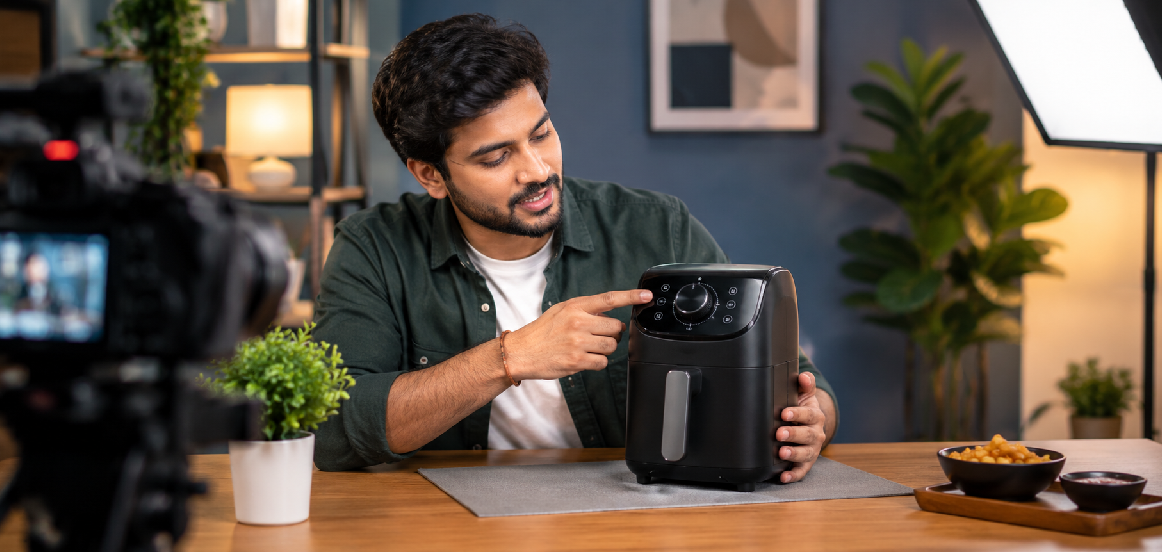
For example, a video about a kitchen appliance might begin by showing the task it helps simplify before introducing the product.
Introduce the Product Briefly
Explain what the product is and who it is designed for. Keep this introduction concise so viewers can quickly understand the context.
Demonstrate the Main Steps
Show how to prepare, operate, or use the product. Present the steps in the order a customer would normally follow them.
Explain the Result
After demonstrating a feature, explain what it enables the user to do. Where relevant, show the result clearly so viewers can connect the function to its benefit.
End With a Useful Next Step
Encourage viewers to explore product specifications, review compatibility, visit the product page, or contact the business with questions. Keep the call to action relevant to the video’s purpose.
5. Plan the Shots Before the Shoot
A shot list ensures that the production team captures all the footage needed to explain the product. Planning in advance reduces repeated takes, improves continuity, and makes editing more efficient.
Establish the Product Clearly
Begin with a clean shot that shows the entire product. This helps viewers understand its appearance before moving into detailed demonstrations.
Capture Close-Up Details
Record the buttons, textures, connections, accessories, moving components, or other features that support the script. Make sure these details remain visible in the final framing.
Film Each Demonstration Step
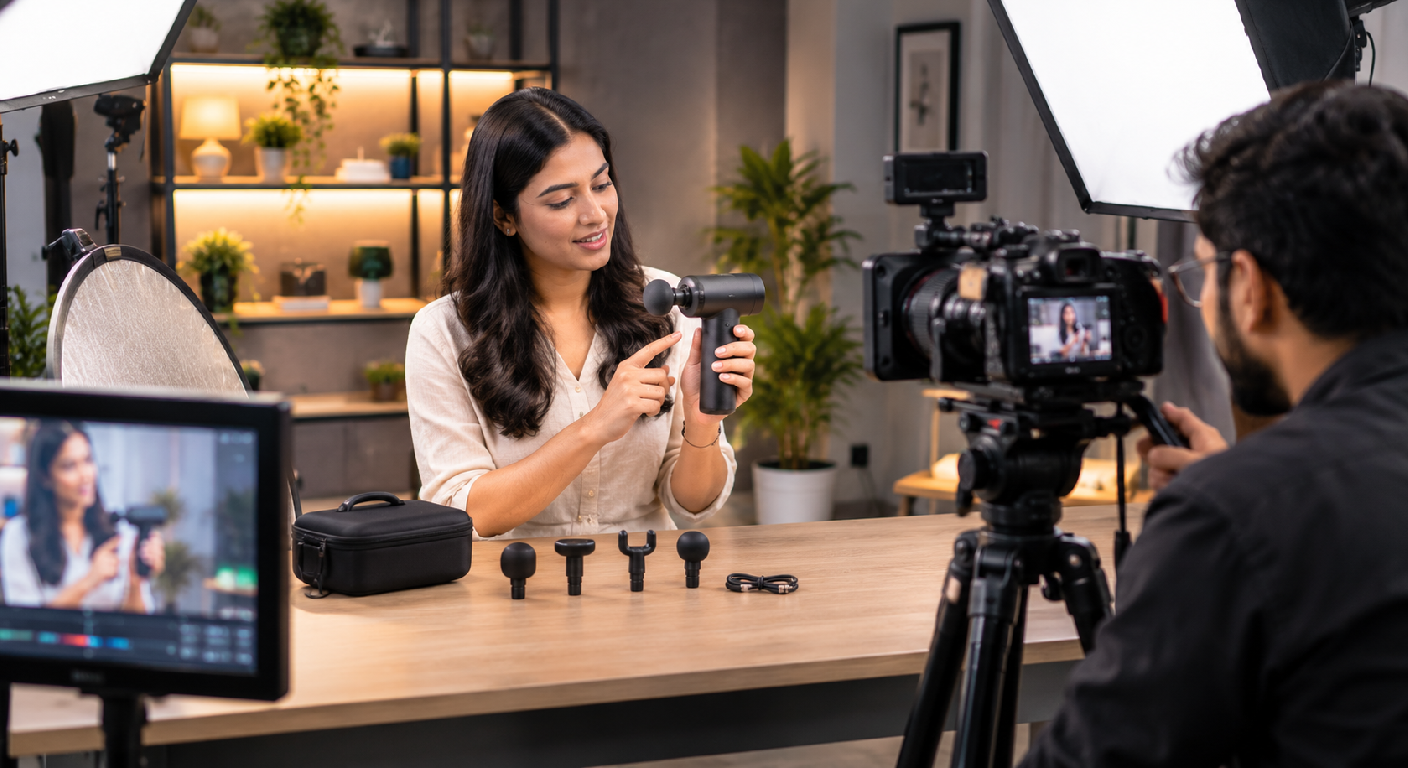
Capture the important actions from suitable angles. For complex products, a wide shot can establish the overall process while close-ups explain specific movements.
Record the Product in Use
Show the product performing a realistic task in a relevant setting. This can help customers imagine how it may fit into their own routines.
Capture Supporting Footage
Record additional shots of the packaging, included accessories, product finish, setup process, or final result. These shots provide flexibility during editing and can support future marketing content.
Check Continuity
Ensure that the product, accessories, hand positions, settings, and background remain consistent across connected shots. Continuity errors can make a demonstration confusing.
6. Choose the Right Location, Background, and Lighting
The production environment influences how customers perceive the product. A clean, well-lit setup makes it easier to see important details and keeps the demonstration visually professional.
The ideal setting depends on whether the video requires a controlled studio environment, a realistic usage scenario, or both.
Use a Clean Background
Choose a background that separates the product from its surroundings. Neutral surfaces work well for many catalogue-style demonstrations, while brand colours and lifestyle settings may suit particular campaigns.
Control the Lighting
Use lighting that reveals the product’s shape, texture, and important features. Reflective materials, glass, glossy packaging, and polished metal may require careful positioning to avoid unwanted glare.
Select a Relevant Environment
A tabletop studio can work well for cosmetics, accessories, and small electronics. Appliances, fitness products, tools, and household products may benefit from a realistic setting where viewers can see how they are used.
Keep the Product as the Main Subject
Avoid clutter, unnecessary props, or background activity that competes with the demonstration. Every visual element should support the explanation.
Check the Setup Before Recording
Review test footage to confirm that product details are visible, colours look accurate, reflections are controlled, and the presenter is framed appropriately.
7. Demonstrate the Product in Real-Life Situations
Showing a product in action can help customers understand its practical value. A real-life demonstration connects product features with everyday tasks, making the video more informative than a sequence of isolated product shots.
Show a Realistic Use Case
Choose a scenario that reflects how the intended customer might use the product. A storage accessory could be demonstrated in a workspace, while a kitchen tool could be shown during food preparation.
Show the Process Clearly
Record the steps needed to use the product, including any setup, adjustments, or finishing actions. Do not skip important steps that a first-time user would need to understand.
Present the Results Honestly
Show the product performing as it normally would under the stated conditions. Avoid edits, props, or demonstrations that create unrealistic expectations about its performance.
Include Relevant Scale and Context
When size matters, show the product beside familiar objects or in its intended environment. This can help customers understand dimensions and practical use.
Consider Different User Needs
If a product has several legitimate use cases, select the most relevant ones for your audience. Additional demonstrations can be produced as separate videos where appropriate.
8. Use Professional Audio, Camera Work, and Presentation
Product demonstrations must be easy to see and hear. Poor audio, shaky footage, or unclear framing can distract from even a useful explanation.
Production quality should support understanding rather than overwhelm the viewer with unnecessary effects.
Record Clear Dialogue
Use a suitable microphone and monitor audio during the shoot. Record a quiet room tone when useful and minimize distracting background noise.
Keep the Camera Stable
Use a tripod or other appropriate stabilization method for shots where clarity matters. Smooth movement can be useful for product reveals, but avoid camera motion that makes important details difficult to inspect.
Choose the Right Camera Angle
The angle should make the demonstrated action easy to understand. Overhead views may suit tabletop products, while eye-level or three-quarter angles can work well for presenters and larger products.
Use Close-Ups and Wider Shots Together
Wide shots establish context, while close-ups show how the product works. Combining these views can make the demonstration clearer and more engaging.
Guide the Presenter Naturally
If someone speaks on camera, encourage a conversational delivery. The presenter should understand the product and be able to explain its features accurately without sounding as though every sentence is being read.
Maintain Visual Consistency
Check exposure, focus, white balance, and framing across the shoot. Consistency makes the final video feel more polished and supports a professional brand image.
9. Edit the Video to Make Buying Decisions Easier
Editing should help viewers follow the demonstration and understand the product’s value. The strongest edits prioritize clarity, accuracy, and pacing instead of adding effects simply to make the video look more complicated.
Remove Unnecessary Sections
Trim repeated explanations, long pauses, and irrelevant footage while preserving the context needed to understand the demonstration.
Use Helpful On-Screen Labels
Brief labels can identify features, steps, components, or important specifications. Keep them concise and ensure they match the product’s actual capabilities.
Add Captions
Captions make spoken explanations easier to follow and help viewers who watch without sound. Review the transcript carefully for product names, technical terms, and any measurements.
Include Relevant Close-Ups
Use close-up footage when the presenter refers to a small component or specific function. The viewer should be able to see the feature being discussed.
Maintain a Logical Sequence
Arrange the video so that it progresses from the introduction to the demonstration, key benefits, and next step. Avoid jumping between unrelated functions.
Use Music Carefully
Background music can support the mood, but it should never compete with the presenter’s voice or obscure important product sounds. Use music that is properly licensed for the intended platforms and commercial use.
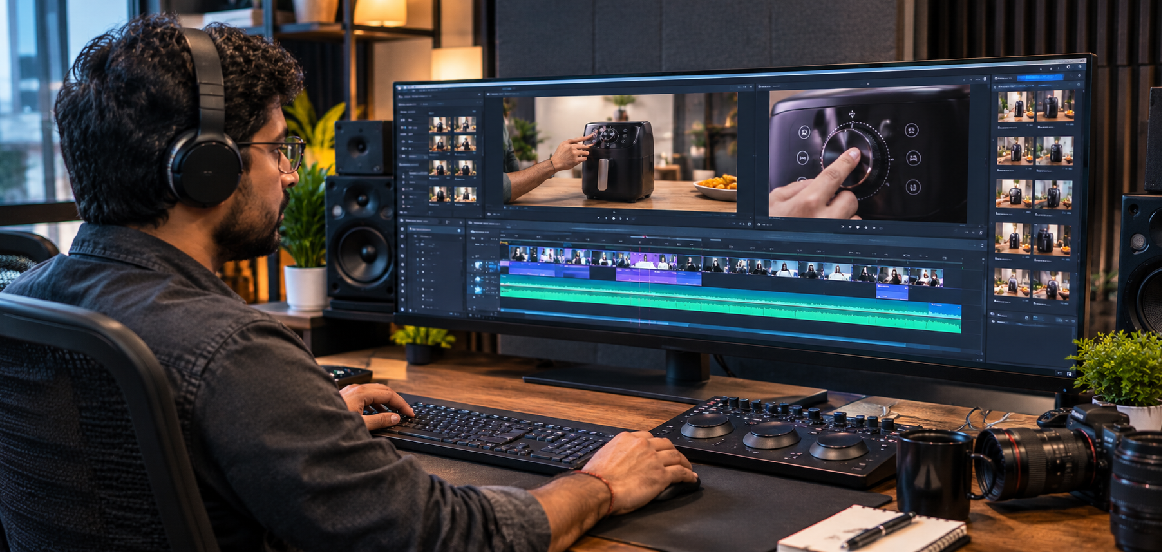
10. Optimize Product Demonstration Videos for Different Platforms
A product video may be used on an e-commerce product page, YouTube, Instagram, LinkedIn, or a paid advertising campaign. Each placement can require a different edit, aspect ratio, length, or opening message.
Plan the final formats before filming whenever possible.
E-commerce Product Pages
Prioritize a clear explanation of the product, its key functions, and its use. Keep the video focused on helping shoppers evaluate the item and ensure it complements the product description and photographs.
Instagram Reels
Use a vertical format when appropriate, introduce the main idea quickly, and focus on a single benefit or use case. Ensure captions and key details remain visible around the platform interface.
YouTube
YouTube can accommodate both short demonstrations and more detailed product guides. Use a descriptive title, a useful description, and a thumbnail that accurately represents the video.
For business-to-business products and professional services, emphasize practical applications, workflow improvements, and relevant business problems. Add context that helps a professional audience understand the value.
Paid Advertising
An advertising version may need a stronger opening, a more focused message, and a clear next step. Ensure all claims are accurate and the landing page matches what the video promises.
Prepare Multiple Versions
Where practical, capture enough footage to create a full demonstration, short highlight clips, and platform-specific edits. Check each platform’s current publishing specifications before exporting.
11. Add Trust Signals and a Clear Call to Action
A product demonstration should help customers make an informed decision. Useful supporting details can answer final questions and guide interested viewers toward the next step without relying on exaggerated promises.
Show What Is Included
When relevant, demonstrate the product packaging, accessories, components, or items included with the purchase. Make sure the video accurately represents the offer.
Explain Compatibility and Requirements
If a product requires compatible devices, particular conditions, installation, or additional components, make those requirements clear. This helps customers determine whether it suits their needs.
Use Realistic Product Claims
Only include statements that the business can substantiate. Avoid presenting a single demonstration as proof that every customer will achieve the same result.
Include Relevant Supporting Information
You may reference the product’s specifications, care instructions, warranty information, or setup guide when these details help customers evaluate it. Ensure that the information is current and accurate.
Choose a Relevant Call to Action
The next step could be viewing the full specifications, exploring product options, checking compatibility, contacting the sales team, or purchasing from the product page. Match the action to the viewer’s likely needs.
Make the Buying Journey Consistent
If the video promises a particular feature or benefit, make sure the linked page provides the relevant details. A consistent message between the video and product page helps customers continue their research.
12. Measure Performance and Improve Future Videos
After publishing, evaluate whether your product demonstration videos are helping customers understand the product and move toward a purchase. Performance measurement helps you identify which messages, formats, and demonstrations are most useful.
Choose metrics based on the purpose of each video.
Track Video Engagement
Review available metrics such as views, watch time, average viewing duration, audience retention, and completion rate. These indicators can help you understand whether viewers continue watching long enough to receive the main message.
Monitor Meaningful Actions
Depending on the platform, track clicks to the product page, visits to related pages, enquiries, add-to-cart activity, or purchases where measurement is available.
Review Customer Questions
Pay attention to comments, support enquiries, and feedback after the video is published. Repeated questions may indicate that a feature, setup step, or limitation needs a clearer explanation.
Test Different Openings
You can compare different introductions, provided the tests are designed fairly and the content remains accurate. One opening may explain the customer’s problem, while another begins with the product in action.
Compare Relevant Formats
A detailed product-page video may serve a different purpose from a short social clip. Evaluate each format against its own goal rather than comparing views alone.
Improve the Next Production
Use the findings to refine scripts, shot lists, captions, and calls to action. Over time, your team can develop a repeatable approach to creating more useful and effective product videos.
Product video performance depends on many factors, including product-market fit, pricing, page design, traffic quality, and the buying experience. Video is one part of a broader sales strategy, so assess results in context.
How MWS India Can Help Create Product Demonstration Videos
Creating a useful product demonstration requires planning, product styling, filming, editing, and a clear understanding of the audience. Professional production can help businesses present products clearly and create video assets suitable for their marketing channels.
MWS India supports businesses and product-based brands looking for professional content production in Mumbai. Depending on the product and campaign, a production project can include concept development, script planning, studio filming, product close-ups, editing, and delivery of suitable video versions.
Product Video Planning
A structured production plan identifies the key features, customer questions, demonstrations, and supporting shots needed for the video. This helps the team focus on the information that matters most to potential buyers.
Professional Studio Filming
A controlled studio environment allows the team to manage lighting, camera angles, backgrounds, and product placement. This is useful for consumer goods, electronics, cosmetics, accessories, and other products that need clear visual presentation.
Product Demonstration and Close-Up Shots
Detailed shots can show controls, textures, components, packaging, and important product functions. These visuals help explain features that may not be obvious in a static photograph.
Editing for Multiple Platforms
A planned shoot can provide footage for longer product demonstrations as well as shorter social media edits. Captions, framing, pacing, and supporting visuals can be adapted to the intended platform.
Content for E-commerce and Marketing
Product videos can complement e-commerce listings, website pages, social media campaigns, and promotional materials. The final content should be aligned with the product’s actual features and the business’s marketing goals.
If your business needs professional product demonstration videos in Mumbai, MWS India can help plan and produce visual content that presents your products clearly and supports your customers’ buying journey.
Conclusion
Creating effective Product Demonstration Videos starts with understanding your customers and the questions they need answered before purchasing. Choose the most useful product features, write a clear script, plan the shots, and demonstrate how the product works in realistic situations.
Professional lighting, clear audio, helpful close-ups, accurate captions, and thoughtful editing can make the information easier to understand. Adapting the finished video for e-commerce pages, social media, and advertising can also help your content reach customers in different contexts.
Finally, review engagement, customer feedback, and relevant business outcomes to improve future videos. With a practical production process and a customer-focused approach, product demonstration videos can become a valuable part of your product marketing strategy.