
Podcasting has become an important format for businesses, creators, founders and professionals who want to share knowledge, stories and conversations with their audiences.
However, recording a podcast is not simply about placing two people in front of a camera and pressing record. Professional podcast video production requires attention to camera quality, lighting, audio, composition, backgrounds, microphones, editing and the overall recording environment.
A podcast can contain excellent information, but poor sound, distracting visuals or inconsistent editing can make the viewing experience less polished.
On the other hand, a professionally planned podcast video can create a cleaner and more consistent experience across YouTube, social media, websites and other digital platforms.
MW Stuudio currently provides podcast recording and production services that include professional microphones, multi-camera setups, teleprompter support, podcast consultation, editing, sound design, branding, thumbnails, show notes and distribution support.
This guide explains what makes a professional podcast video look and sound better and how businesses and creators can improve the quality of their podcast production.
1. Start With a Proper Podcast Studio Setup
The recording environment has a direct effect on both video and audio quality.
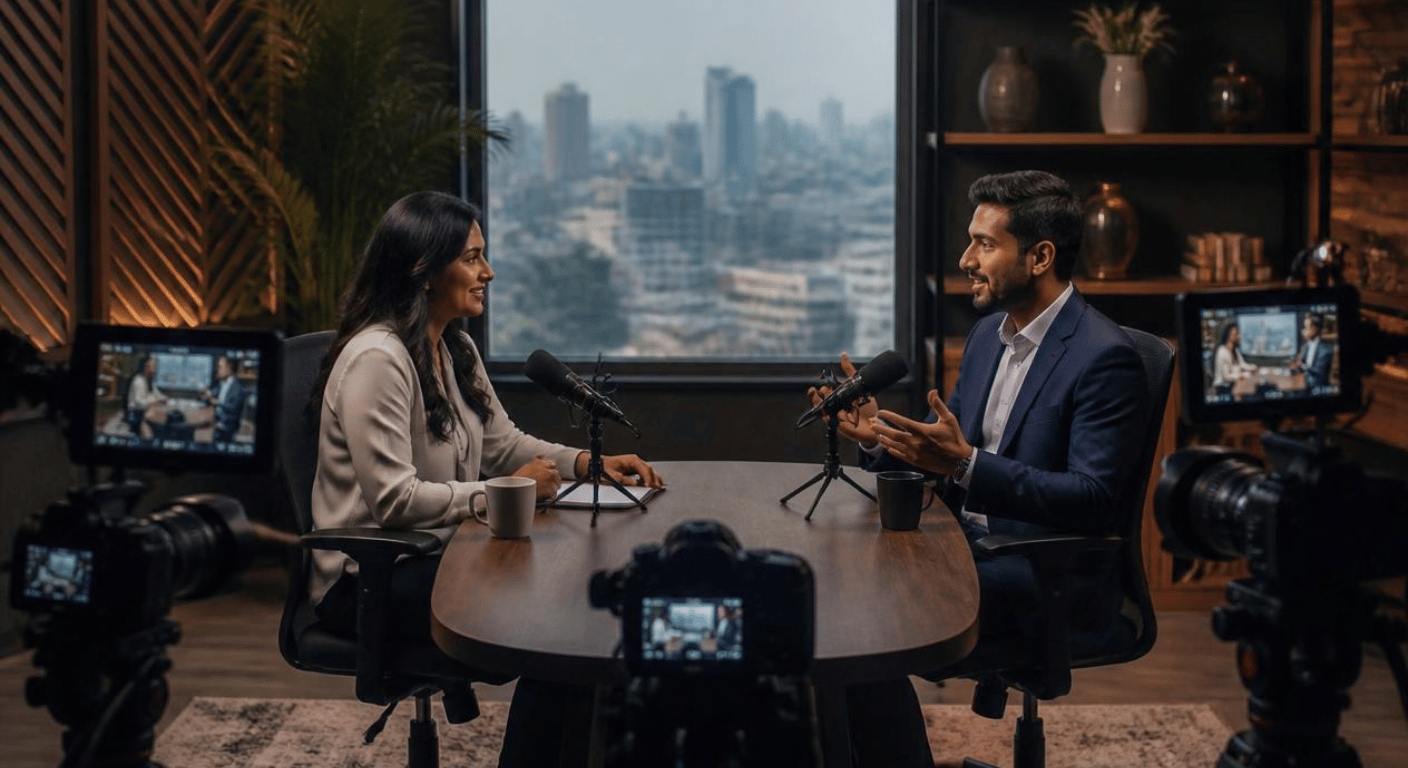
A professional podcast studio can provide a controlled environment where lighting, microphones, cameras, backgrounds and acoustics can be prepared before recording.
A suitable studio setup should consider:
- Camera positioning
- Microphone placement
- Lighting
- Background
- Seating arrangement
- Acoustic environment
- Power and equipment
- Monitoring
- Space for multiple cameras
A controlled environment also makes it easier to maintain consistency between episodes.
This becomes particularly useful for podcasts that are recorded regularly.
2. Use Professional Microphones
For podcasts, audio quality is one of the most important parts of the production.
Viewers may forgive a simple visual setup, but unclear dialogue, excessive background noise or inconsistent microphone levels can make a podcast difficult to follow.
Professional microphones should be positioned appropriately for each speaker.
The production team should also monitor the audio during recording rather than discovering problems after the episode has finished.
Microphone choice depends on the room, number of speakers, recording style and overall production requirements.
The objective is simple: capture clear, consistent speech.
MW Stuudio’s podcast studio setup includes professional microphones as part of its recording environment.
3. Control the Recording Environment
Even expensive equipment cannot completely solve a poor recording environment.
Unwanted sounds can come from:
- Traffic
- Air conditioners
- Fans
- Outside conversations
- Echo
- Footsteps
- Equipment noise
- Doors opening and closing
Before recording, the team should listen carefully to the room.
Acoustic treatment can also help control reflections and improve the recording environment.
A quieter and more controlled room gives the production team cleaner audio to work with during post-production.
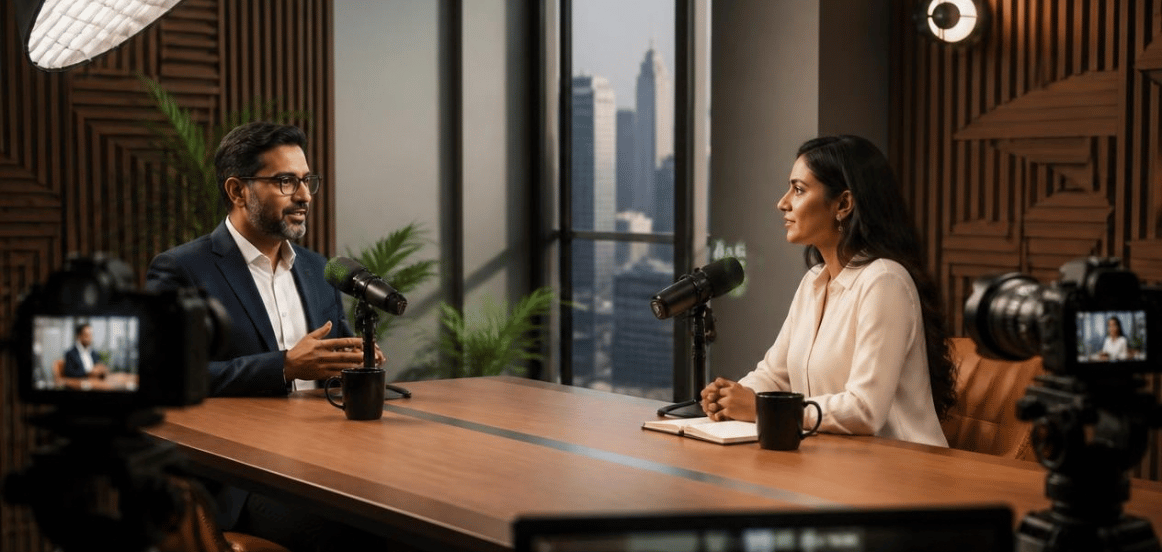
4. Use Multi-Camera Production
A single static camera can make a long podcast video feel visually repetitive.
A multi-camera setup gives editors more options during post-production.
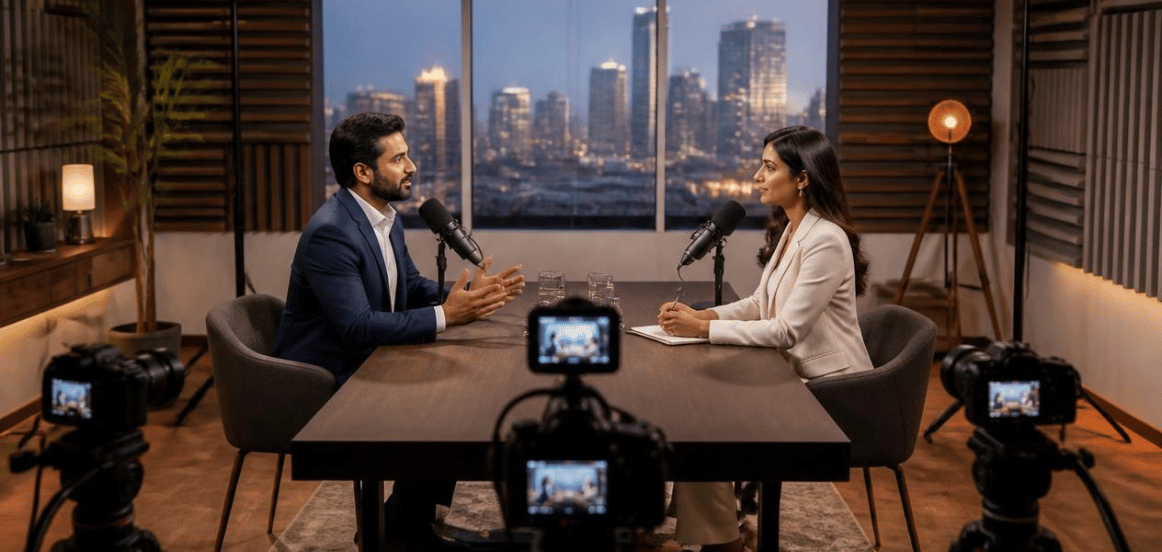
For a two-person podcast, cameras can capture:
- Host
- Guest
- Two-person wide shot
- Close-up reactions
- Speaker-specific angles
- Supporting shots
Camera switching can then follow the conversation naturally.
For example, when the guest answers a question, the edit can move to the guest’s camera. When the host reacts, the shot can change accordingly.
MW Stuudio’s podcast studio service includes a multi-camera setup for podcast production.
5. Create a Strong Camera Composition
Camera placement influences how professional a podcast looks.
The speakers should be framed comfortably without excessive empty space.
Important considerations include:
- Eye level
- Headroom
- Camera distance
- Background
- Speaker position
- Lens choice
- Two-person framing
- Close-up composition
The background should complement the podcast rather than distract from the speakers.
A well-designed podcast environment can also become part of the show’s visual identity.
6. Plan Professional Lighting
Lighting can significantly change how a podcast appears on camera.
The goal is to illuminate the speakers clearly while creating depth between the subjects and the background.
A podcast lighting setup may include:
- Key light
- Fill light
- Hair or rim light
- Background lighting
- Practical lights
The exact setup depends on the studio, number of speakers and desired visual style.
Lighting should also remain consistent throughout the episode.
Sudden changes in exposure or colour can become distracting during editing.
7. Choose a Background That Supports the Brand
The podcast background is part of the visual identity.
It can communicate the personality of the show and the brand behind it.
A business podcast may use a clean professional background.
A creative podcast may use a more expressive environment.
A technology podcast may use a modern studio setup.
The important thing is to avoid unnecessary visual clutter.
Useful background elements can include:
- Shelves
- Plants
- Lighting fixtures
- Brand colours
- Furniture
- Studio equipment
- Carefully selected décor
Keep the background visually interesting without allowing it to compete with the speakers.
8. Prepare the Host and Guest
Even the best equipment cannot replace good preparation.
Before recording, the host and guest should understand the discussion structure.
Preparation can include:
- Episode topic
- Key discussion points
- Guest introduction
- Main questions
- Follow-up questions
- Closing message
- Important facts
- Sensitive topics to avoid
- Call to action
Guests should also understand where to sit, how to use the microphone and where to look during the conversation.
The aim is not to make the discussion feel scripted.
Preparation simply helps everyone feel more comfortable.
9. Use a Teleprompter When Appropriate
A teleprompter can be useful for certain types of podcast content.
It can help presenters maintain structure when recording:
- Introductions
- Sponsored messages
- Brand announcements
- Educational sections
- Product explanations
- Closing statements
However, a teleprompter does not need to be used for every conversation.
For a natural interview, hosts and guests may simply use prepared questions and talking points.
The right approach depends on the format of the episode.
MW Stuudio’s podcast studio service currently lists teleprompter support among its podcast recording equipment.
10. Maintain Consistent Audio Levels
If one speaker sounds much louder than another, the listener may constantly need to adjust the volume.
Professional podcast production therefore requires consistent audio levels.
During recording, the production team should monitor each microphone.
During post-production, editors can work on:
- Dialogue levels
- Background noise
- Equalisation
- Compression
- Music levels
- Sound effects
- Transitions
The goal is to create a comfortable listening experience throughout the episode.
Consistency becomes especially important when episodes contain multiple speakers or recordings from different sessions.
11. Edit the Conversation Carefully
Podcast editing is not simply about removing mistakes.
A good edit can improve the flow of the conversation while preserving the personality of the speakers.
Editors may remove:
- Long pauses
- Repeated sentences
- Technical mistakes
- Unnecessary sections
- Distracting background sounds
- Completely unrelated sections
The editing style should depend on the podcast.
Some shows benefit from a natural long-form conversation.
Others may require tighter pacing for a social-media-focused audience.
The final edit should feel intentional without making the conversation sound unnatural.
12. Add Professional Post-Production
Post-production brings the recorded elements together.
A professional podcast post-production workflow can include:
- Multi-camera editing
- Audio editing
- Noise reduction
- Colour correction
- Colour grading
- Sound design
- Music
- Subtitles
- Motion graphics
- Intro and outro
- Lower thirds
- Thumbnail design
- Social media clips
MW Stuudio currently lists episode editing, sound design, branding, thumbnail design, show notes and distribution support among its podcast-related services.
Post-production should improve the viewer experience without making the podcast feel overproduced.
13. Maintain a Consistent Podcast Visual Identity
A podcast should ideally look recognisable from episode to episode.
Consistency can come from:
- Camera composition
- Lighting style
- Background
- Intro animation
- Lower thirds
- Fonts
- Brand colours
- Thumbnail style
- Music
- Editing approach
This does not mean every episode needs to look identical.
Instead, viewers should feel that different episodes belong to the same podcast.
A consistent visual system also makes it easier to create promotional content from each episode.
14. Plan for Short-Form Podcast Content
A podcast episode does not have to remain a single long video.
Important moments from the conversation can potentially become shorter pieces of content.
For example:
- Short video clips
- Instagram Reels
- YouTube Shorts
- Quote videos
- Educational clips
- Guest introduction clips
- Behind-the-scenes content
- Audiograms
- Promotional clips
During the recording itself, the production team should capture clean footage that can work in different formats.
Vertical versions may require different framing, so this should be considered before the shoot.
MW Stuudio’s broader production services include podcast recording alongside Reel and video production, allowing brands to plan different content formats around a podcast production workflow.
15. Build a Complete Podcast Production Workflow
A professional podcast becomes easier to manage when the entire production process is planned.
A practical workflow can look like:
Pre-production → Recording → Editing → Post-production → Content Repurposing → Publishing
Pre-production
- Choose topic
- Confirm guest
- Prepare questions
- Plan format
- Prepare equipment
- Confirm studio
Recording
- Check cameras
- Check microphones
- Test audio
- Set lighting
- Record main conversation
- Capture additional footage
Post-production
- Edit conversation
- Mix audio
- Colour grade
- Add graphics
- Add subtitles
- Create thumbnail
Content Repurposing
- Select clips
- Create Reels
- Create Shorts
- Prepare promotional content
- Create quote graphics
Publishing
- Upload full episode
- Add title and description
- Add thumbnail
- Publish clips
- Share across relevant channels
A structured workflow reduces the chance of important production steps being forgotten.
Conclusion
A professional podcast video looks and sounds better when every part of the production is considered together.
Professional microphones help capture clearer dialogue. Controlled recording environments can reduce unwanted noise. Multi-camera setups provide more visual options, while thoughtful lighting and composition create a consistent visual experience.
But the production does not stop when recording ends.
Editing, audio processing, colour grading, subtitles, graphics, thumbnails and short-form content can all contribute to the final podcast experience.
The most important principle is consistency. A podcast does not need unnecessary effects or complicated visuals to look professional. It needs a controlled recording environment, clear communication, appropriate equipment and thoughtful production decisions.
MW Stuudio’s current podcast services include studio recording, professional microphones, multi-camera setups, teleprompter support, podcast consultation, episode editing, sound design, branding, thumbnails, show notes and distribution support.
When these elements are planned as one workflow, a single podcast episode can become not only a polished long-form video but also a useful collection of shorter content assets for a brand’s digital presence.
The objective is simple: make the conversation the centre of attention while using professional production to make that conversation easier to see, hear and experience.