
Creating fresh content every week can become one of the biggest challenges for a growing business.
A business may need Instagram Reels, product photographs, founder videos, website images, social media posts, customer testimonials, promotional videos and advertising creatives. If every piece of content is produced separately, the process can become expensive, time-consuming and difficult to manage.
This is where a brand content library becomes valuable.
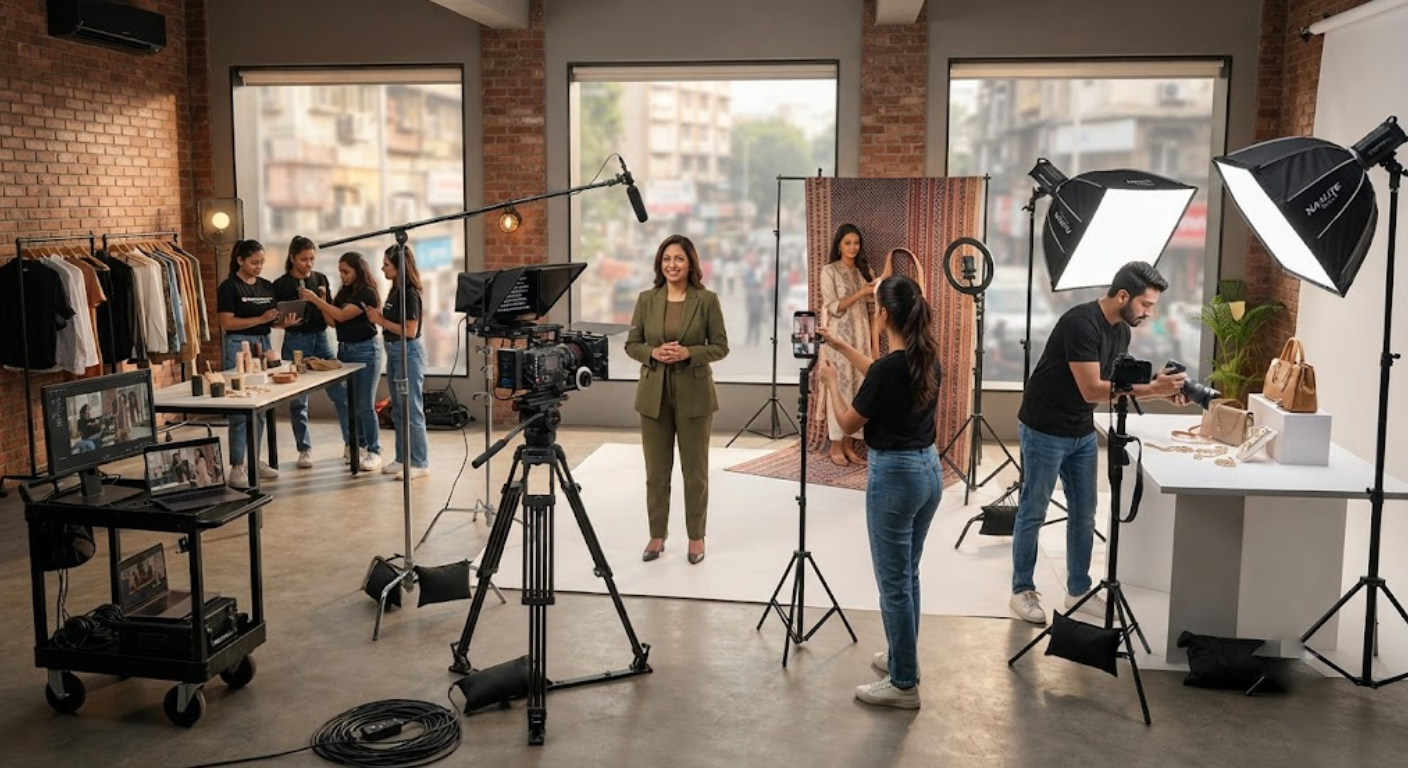
Instead of planning one piece of content at a time, businesses can organize a professional shoot around multiple content requirements. A single well-planned production day can generate a large collection of photographs and videos that can be used across social media, websites, advertisements, e-commerce platforms, presentations and other marketing channels.
The objective is not simply to create as much content as possible.
The objective is to create different types of useful content from one coordinated production session.
With proper planning, one shoot can include founder photography, product images, short-form videos, educational clips, behind-the-scenes footage, lifestyle images and other brand assets.
For businesses in Mumbai, this approach can also make professional content production more practical because multiple services can be coordinated during the same studio booking or production day.
The key is preparation.
You need to know what content you need, where it will be used, who will appear in it, what products or props are required and how the production team will capture everything efficiently.
1. What Is a Brand Content Library?
A brand content library is a collection of professionally created visual assets that a business can use repeatedly across its marketing channels.
It can include both photographs and videos.
Instead of keeping only a few product photographs or occasional social media videos, a content library gives your business a broader collection of assets covering different situations, people, products, messages and formats.
A typical library might contain:
- Brand photographs
- Product photographs
- Founder portraits
- Team photographs
- Lifestyle images
- Reels
- Educational videos
- Product demonstration videos
- Customer testimonial videos
- Behind-the-scenes footage
- Website images
- Social media assets
- Advertising creatives
- Short video clips
- B-roll footage
The library should reflect the identity of the business.
For example, a fashion brand may need model photography, product images, styling photographs and Reels.
A consulting company may need founder portraits, professional headshots, educational videos, office photographs and interview content.
An e-commerce business may need product photography, product demonstrations, lifestyle images and short-form promotional videos.
Therefore, there is no universal content library.
The right library is the one that supports your actual marketing requirements.
2. Start With Your Business Goals
Before booking a studio or creating a shot list, identify what the content needs to accomplish.
A common mistake is starting with the question, “How many photos and videos can we create?”
A better question is:
“What does my business need content for over the next few months?”
Your goals could include:
- Increasing social media consistency
- Launching a new product
- Building founder visibility
- Improving website presentation
- Creating advertising material
- Supporting an e-commerce store
- Promoting a service
- Creating educational content
- Building trust with potential customers
- Refreshing outdated brand visuals
Your goals determine the type of content you need.
For example, if your primary objective is social media growth, you may need more vertical videos and short-form clips.
If you are redesigning your website, you may need professional brand photography, team photographs and service-related images.
If you are launching a product, product photographs, demonstration videos and promotional Reels may become the priority.
Once the objective is clear, the shoot becomes easier to plan.
3. Identify Every Content Format You Need
The next step is to create a complete list of content formats.
Do not think only about Instagram.
A single shoot can support multiple marketing channels.
For example, your content requirements may include:
Social Media
- Instagram Reels
- Instagram posts
- Stories
- LinkedIn posts
- YouTube Shorts
Website
- Homepage images
- About Us photographs
- Service page visuals
- Team photographs
- Founder images
Sales and Marketing
- Product demonstrations
- Promotional videos
- Customer testimonials
- Presentation images
- Advertising creatives
E-commerce
- Product photographs
- Lifestyle images
- Product-in-use videos
- Detail shots
- Packaging photographs
Brand Building
- Founder portraits
- Team photographs
- Behind-the-scenes content
- Workplace imagery
- Brand lifestyle images
Creating this list before the shoot prevents important requirements from being forgotten.
It also allows the production team to design the day around multiple outputs rather than treating each asset as a separate project.

4. Divide Your Content Into Clear Content Pillars
A content library becomes much more useful when it is organized around content pillars.
Content pillars are broad themes that help your business maintain variety and consistency.
For a typical business, useful pillars may include:
- Brand: Who you are and what you stand for
- Product: What you sell and how it works
- Education: Information that helps customers
- People: Founder, team and customer stories
- Behind the Scenes: How your business operates
- Lifestyle: Your product or service in real situations
- Promotional: Offers, launches and campaigns
This structure helps prevent your entire shoot from becoming a collection of similar promotional videos.
For example, if you are creating 20 short-form videos, you could divide them across different pillars instead of recording 20 versions of the same sales message.
Content variety also gives your marketing team more flexibility when planning future campaigns.
5. Create a Detailed Shoot List Before Production Day
A professional content library starts with a good shot list.
The shot list should describe what needs to be captured and how it will be used.
Instead of writing only “take product photos,” specify the types of photographs required.
For example:
- Front product photograph
- Side product photograph
- Close-up detail
- Product in use
- Lifestyle photograph
- Packaging photograph
- Founder holding product
- Product demonstration
- Vertical promotional video
- Educational Reel
A video shoot list can also include:
- Introduction
- Product explanation
- Frequently asked questions
- Founder story
- Customer problem
- Product solution
- Demonstration
- Call-to-action clips
- B-roll
This preparation allows the photographer and videographer to work efficiently.
It also makes it easier to estimate how much time each setup requires.
6. Plan the Shoot Around Setups, Not Individual Posts
One of the most effective ways to create more content from one shoot is to organize production around similar setups.
Suppose you need five Reels that use the same background, lighting and camera position.
Instead of recording one Reel, changing everything and then returning later, record all five while the setup is ready.
The same principle applies to photography.
If a product photography setup is already prepared, capture all required angles and variations before moving to another setup.
This reduces unnecessary changes and helps maintain visual consistency.
A shoot can be divided into blocks such as:
- Founder photography
- Founder videos
- Product photography
- Product demonstrations
- Social media Reels
- Team photographs
- Lifestyle images
- Behind-the-scenes footage
This setup-based approach can save production time while increasing the number of usable assets captured during the day.
7. Capture Multiple Types of Video During the Same Shoot
A content library should not contain only polished promotional videos.
Short, useful clips can be just as valuable.
During a professional shoot, consider capturing different video styles.
Educational Videos
Answer common customer questions or explain important topics.
Product Demonstrations
Show how a product works or how it should be used.
Founder Videos
Create videos where the founder explains the business, industry or customer problems.
Promotional Videos
Highlight products, services, launches or offers.
Testimonial Content
Record customer experiences when appropriate.
Behind-the-Scenes Videos
Capture authentic moments from the production process or business environment.
B-Roll
Record supporting footage such as product close-ups, hands working, packaging, team interactions and environmental shots.
The more varied your footage, the more opportunities you have for future content.
8. Don’t Forget Photography While Shooting Video
Businesses sometimes focus so heavily on video that they miss an important opportunity to capture professional photographs.
If a professional camera, lighting setup, products and people are already available, the same production day can often include photography requirements.
For example, during a founder video shoot, you can also capture:
- Headshots
- Website portraits
- LinkedIn photographs
- Lifestyle images
- Founder-with-product photographs
- Team photographs
During a product video shoot, you can capture:
- Product hero shots
- Detail photographs
- Lifestyle photographs
- Packaging images
- Product-in-use photographs
This is one of the biggest advantages of planning a complete content library rather than a single-format shoot.
You can build multiple types of assets around the same production environment.
9. Prepare People, Products, Props and Wardrobe in Advance
Production time can be lost quickly if basic requirements are not prepared.
Before the shoot, create a checklist covering everything that needs to be available.
People
- Founder
- Employees
- Models
- Subject experts
- Customers or testimonials
Products
- Main products
- Different variants
- Packaging
- Accessories
- Backup units
Wardrobe
- Brand-appropriate outfits
- Multiple looks
- Accessories
- Footwear where relevant
Props
- Business tools
- Product-related objects
- Lifestyle accessories
- Brand-relevant items
Production Materials
- Scripts
- Shot lists
- Product information
- Reference images
- Required graphics or branding elements
Good preparation allows the production team to focus on creating content instead of waiting for missing materials.
10. Build a Content Calendar Around Your New Library
Creating a large content library is only the first step.
You also need a plan for using it.
Without a content calendar, businesses often publish several pieces immediately and then stop using the remaining assets.
Instead, organize the content over several weeks or months.
For example, your library could support:
- Weekly founder videos
- Regular educational Reels
- Product-focused posts
- Lifestyle photographs
- Customer-focused content
- Promotional campaigns
- Seasonal posts
- Website updates
You can also create variations from the same original footage.
A single long-form recording may produce several short clips.
A product shoot may produce multiple social media posts.
A founder photography session may provide website, LinkedIn and press images.
This makes your content library a long-term marketing resource rather than a one-time collection of files.
11. Organize and Store Your Content Properly
A content library becomes difficult to use if everything is stored randomly.
Create a logical folder structure from the beginning.
For example:
Brand Content Library
- Founder
- Team
- Products
- Product Videos
- Reels
- Corporate Videos
- Lifestyle Photos
- Website Images
- Testimonials
- Behind the Scenes
- B-Roll
- Campaign Assets
You can also organize files by date, product or campaign.
Use clear file names so your team can identify assets without opening every file.
It is also important to maintain original high-resolution files separately from edited social media versions.
This gives you flexibility when the same content needs to be reused for a website, advertisement, print material or future campaign.
A well-organized library can save significant time later.
Conclusion
A strong brand content library gives your business something more valuable than a folder full of photographs and videos.
It gives you a reusable collection of marketing assets that can support your business over time.
The key is to plan the shoot around your actual business goals.
Identify the platforms you use, the content formats you need, the people and products involved, and the campaigns you expect to run in the coming months.
Then organize the production around efficient setups.
A single professional shoot can potentially create founder photographs, product images, Reels, educational videos, demonstrations, lifestyle content, website visuals and supporting B-roll.
The important part is not simply producing more content.
It is producing the right variety of content, organizing it properly and using it consistently.
With the right planning, one well-executed production day can become the foundation of your business’s content strategy for weeks or months.