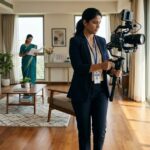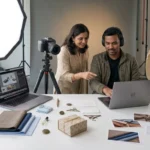

A Professional Video Production Shoot involves much more than setting up a camera and recording a few clips. It brings together planning, scripting, lighting, sound, camera operation, direction, and coordination to create videos that communicate a business message effectively. Whether you are producing a corporate film, promotional video, product demonstration, founder interview, or social media content, understanding the production process helps you prepare with confidence.
For businesses investing in professional video production, knowing what happens before, during, and after the shoot can save time, reduce confusion, and improve the final result. It also helps your team understand its responsibilities, prepare the right materials, and work efficiently with the production crew.
In this guide, we explain what to expect during a Professional Video Production Shoot, from pre-production planning and studio setup to recording, editing, and final delivery. If your business is planning a video project in Mumbai, these practical steps can help you make the most of your production day.
1. Understand the Purpose of Your Video Before Production
Every successful video starts with a clear objective. Before the production team arrives, establish what the video needs to communicate, who will watch it, and what you want viewers to do after watching.
A corporate video may introduce your company and its expertise. A product video may demonstrate features and benefits, while a founder video can communicate your business vision and build a stronger personal connection with customers.
Define Your Primary Goal
Choose one main objective for each video. This could include building brand awareness, explaining a service, generating enquiries, introducing a product, educating customers, or supporting a marketing campaign.
Identify Your Target Audience
Think about your viewers’ interests, challenges, and expectations. A video intended for potential customers may need a different tone and structure from one created for employees, investors, or business partners.
Decide Where the Video Will Be Used
The intended platform affects production decisions. A website homepage video may need a different composition from a vertical Instagram Reel or a detailed product demonstration.
Prepare a Clear Creative Brief
Share the video objective, target audience, key message, preferred style, approximate duration, and delivery requirements with the production team. This helps everyone work toward the same outcome.
2. Know What Happens During Pre-Production Planning
Pre-production is the preparation stage before filming begins. Good planning reduces unnecessary delays and helps the production crew use the available time effectively.
Depending on the project, pre-production may involve scriptwriting, location planning, shot lists, scheduling, talent coordination, wardrobe selection, product preparation, and equipment requirements.
Script and Storyboard Development
The script defines what will be said or shown. A storyboard or visual reference can help the team understand how each scene should look and how the video will progress.
For an interview, preparation may involve key questions and talking points rather than a word-for-word script. For a product video, the plan may focus on demonstrations, close-ups, and specific product features.
Create a Shot List
A shot list identifies the essential footage required for the final edit. It may include wide shots, close-ups, interviews, product demonstrations, team interactions, and supporting background footage.
Confirm the Production Schedule
Establish call times, setup requirements, scene order, breaks, and expected completion time. Allow sufficient time for equipment setup, lighting adjustments, rehearsals, and retakes.
Prepare Required Materials
Arrange products, props, company information, approved graphics, uniforms, wardrobe, and other materials before the shoot. Confirm that any required permissions and location approvals are in place.
3. Arrive Prepared and Understand Your Role on Set
A professional shoot works best when everyone understands their responsibilities. The production crew manages the technical and creative process, while the client or business team provides subject knowledge, approvals, products, and relevant brand information.
If you are appearing on camera, preparation can make the experience more comfortable. You do not necessarily need acting experience; clear communication and familiarity with the subject are often more important.
Confirm Your Call Time
Arrive at the agreed time, especially if you are a presenter, interviewee, founder, or product specialist. Late arrivals can affect lighting, scheduling, and the availability of other participants.
Bring the Necessary Materials
Carry any agreed scripts, presentation notes, products, accessories, or wardrobe options. Check in advance whether the production team is providing items such as microphones, makeup support, props, and lighting.
Communicate Your Availability
If several employees or speakers are participating, share their schedules in advance. The team can then record scenes in a practical order.
Be Open to Direction
The director or videographer may ask you to adjust your posture, repeat a sentence, change your pace, or look in a different direction. These instructions help improve the visual and audio quality of the final video.
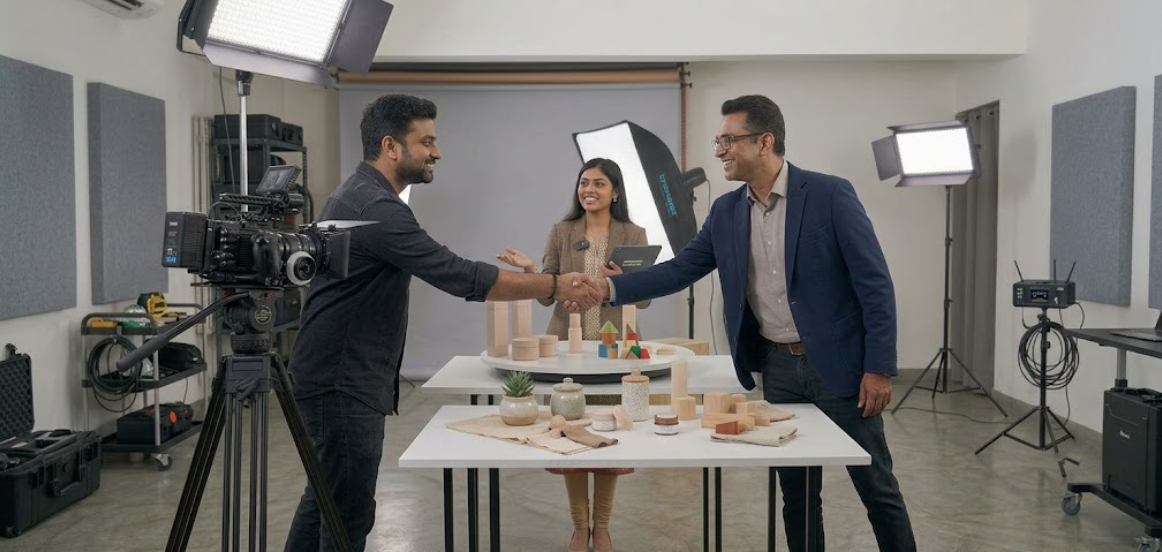
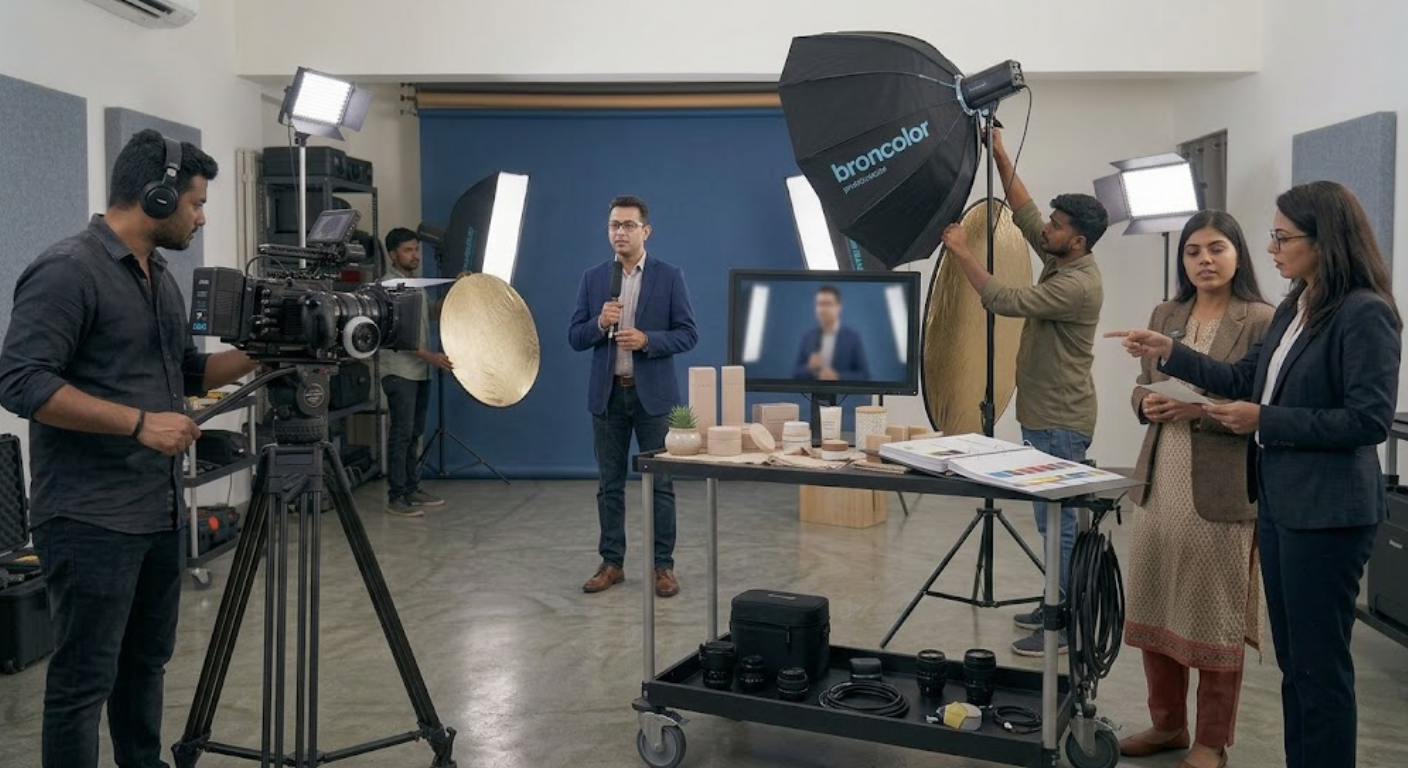
4. Expect Professional Camera and Lighting Setup
When you enter the filming location, the production team will usually prepare the equipment and test the scene before recording the main footage. Setup time depends on the project, number of scenes, location, equipment, and complexity of the lighting.
The goal is not simply to make a scene look attractive. Camera positioning and lighting should support the message, make subjects easy to see, and maintain visual consistency.
Camera and Lens Selection
The production team chooses camera settings, lenses, and framing according to the project. Interviews may require a stable medium shot, while product demonstrations may need detailed close-ups.
Lighting Arrangement
Lights and reflectors help control brightness, shadows, and separation between the subject and background. A simple talking-head video may require a relatively straightforward setup, while a product advertisement can need more detailed lighting adjustments.
Background and Composition
The team checks the background for distracting objects, unwanted reflections, visible cables, and anything that could interfere with the scene. Company branding and products should appear only where they support the creative brief.
Test Shots and Framing
Before filming, the crew may record a short test to check focus, exposure, colour balance, composition, and movement. You may be asked to stand or sit in a specific position to maintain consistent framing.
5. Learn How Audio Recording Works
Audio is one of the most important parts of a professional video. Even impressive visuals may not communicate the message effectively if speech is difficult to hear or background noise is distracting.
During a Professional Video Production Shoot, the crew may use wireless lavalier microphones, boom microphones, directional microphones, or other recording equipment depending on the location and format.
Microphone Placement
The audio technician positions the microphone to capture clear speech while keeping it out of the camera frame when necessary. Clothing, jewellery, and movement may need minor adjustments to prevent rubbing or unwanted noise.
Background Noise Checks
Air conditioners, traffic, fans, machinery, and room echoes can affect recordings. The team may reduce noise where possible or choose a quieter recording position.
Sound Testing
You may be asked to speak a few sentences while the audio technician checks levels. This helps identify distortion, low volume, interference, and other problems before the main recording begins.
Music and Additional Audio
A video may include voice-over, background music, natural sound, or sound effects during editing. Music and other audio elements should be appropriate for the intended use and properly licensed when required.
6. Understand the Recording Process and Retakes
Once the setup is ready, the production team begins recording according to the script and shot list. The process may involve several takes, changes in camera angle, short pauses between scenes, and adjustments based on how the footage looks and sounds.
Multiple takes are normal. They allow the team to choose the strongest performance and correct issues before moving to the next scene.
Recording Interviews and Presentations
You may be asked to repeat a sentence, pause between points, or deliver a shorter version of an answer. These adjustments can make the final edit clearer and more natural.
Capturing Different Angles
The crew may record wide, medium, and close-up shots to provide flexibility during editing. For a product demonstration, this could include the overall setup, the product in use, and detailed views of important features.
Reviewing Selected Footage
Depending on the schedule, the team may review short clips to check framing, focus, audio, and presentation. This is particularly helpful when recording important interviews or product details that would be difficult to recreate.
Allow Time for Corrections
A loose script, an incorrect product detail, an unexpected noise, or a technical issue may require another take. Staying patient and following the production team’s instructions helps the shoot proceed smoothly.
7. Capture Supporting Footage and Behind-the-Scenes Shots
The main interview or presentation may form the centre of your video, but supporting footage can make the final edit more engaging and informative. This additional material is often called B-roll.
B-roll can show your team at work, products being used, business operations, office interactions, equipment, customer service activities, or details relevant to your industry.
Why Supporting Footage Matters
A long interview can become visually repetitive if the same camera angle appears throughout. Supporting shots allow the editor to illustrate the speaker’s points while keeping the story visually varied.
Plan Relevant B-Roll
Create a list of useful scenes before filming. For example, a manufacturing business might capture machinery and quality checks, while a consultancy could show collaborative meetings and project discussions.
Record Multiple Shot Sizes
Capture wide shots that establish the location, medium shots that show activities, and close-ups that reveal important details. These options provide more flexibility during post-production.
Make Footage Useful Across Platforms
Some supporting clips may be suitable for website videos, social media posts, presentations, or future promotional edits. Plan for this possibility while keeping the intended framing and usage requirements in mind.
8. Prepare for Product Demonstrations and Commercial Scenes
Product videos, advertisements, and promotional films often require more detailed preparation than a straightforward interview. The team may need to coordinate product positioning, props, background surfaces, lighting reflections, presenter movement, and the order in which features are demonstrated.
A well-planned product shoot helps ensure the footage clearly communicates the product’s real characteristics.
Clean and Inspect Products
Check products for dust, fingerprints, packaging damage, and other visible imperfections before filming. Keep spare units available when possible, especially for products that may be handled repeatedly.
Arrange Props and Backgrounds
Props should support the product rather than distract from it. Choose backgrounds, surfaces, and accessories that match the brand and the intended audience.
Plan Product Movements
If a scene includes opening packaging, operating a device, pouring a liquid, or demonstrating a process, rehearse the action before recording. Repeating the movement consistently makes editing easier.
Check Product Accuracy
Make sure the correct product version, packaging, colour, accessories, and approved claims appear in the video. This is particularly important for e-commerce and advertising content.
9. Follow Brand Guidelines Throughout the Shoot
A professional video should feel consistent with the business it represents. Brand consistency includes more than adding a logo; it also involves presentation style, wardrobe, language, environment, messaging, and the overall visual approach.
Sharing brand guidelines before the shoot helps the production team make appropriate creative decisions.
Use Appropriate Wardrobe
Choose clothing that fits the brand, subject, and filming environment. Avoid distracting patterns, noisy accessories, or clothing that conflicts with the visual plan.
Maintain Consistent Messaging
Confirm product names, service details, company information, and important claims before recording. This reduces the need for corrections during editing.
Plan Branding Elements
If logos, packaging, uniforms, or branded backgrounds will appear, provide the correct assets and confirm how they should be used.
Check Visual Consistency
For videos that include multiple scenes, the team may need to maintain consistent lighting, background appearance, wardrobe, and product positioning. This is particularly important when scenes are recorded at different times.
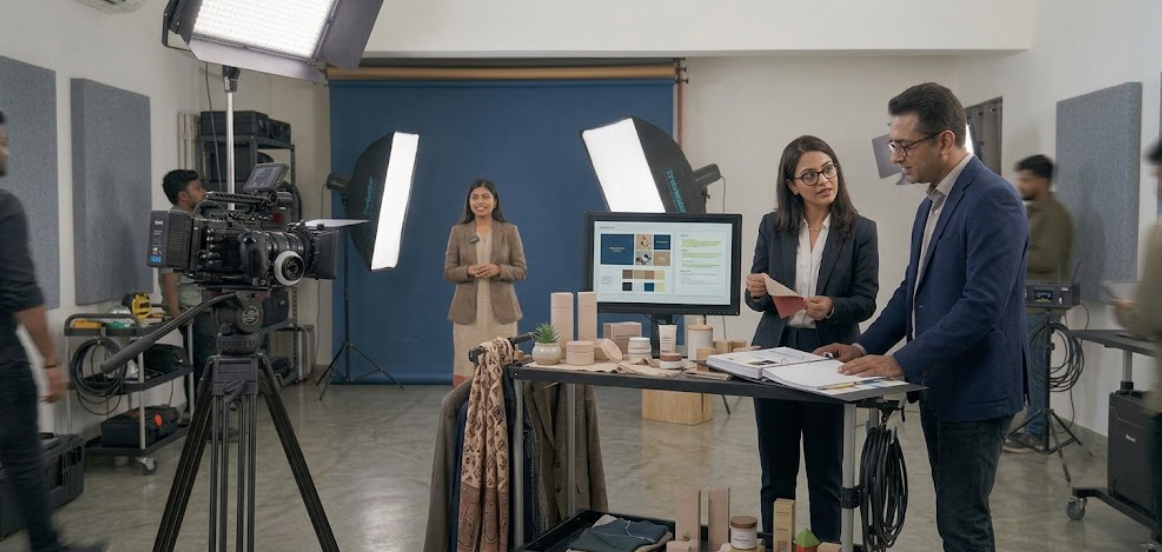
10. Understand the Production Timeline and Common Delays
The length of a shoot depends on the project’s complexity, the number of scenes, the people involved, and the required final deliverables. A simple interview may need a different schedule from a commercial production involving multiple locations, product setups, and several presenters.
Discuss the expected timeline with your production team before the shoot date.
Equipment Setup and Lighting Tests
The crew needs time to position cameras, arrange lights, check sound, and prepare the set. Complex lighting or location restrictions may extend this stage.
Presenter Preparation and Retakes
Some speakers may need additional rehearsal or multiple takes. Allowing reasonable time for this makes the process less stressful.
Scene Changes
Moving equipment, changing backgrounds, rearranging products, or recording in another location adds time. Grouping similar scenes together can improve efficiency.
Unexpected Technical Issues
Battery changes, storage requirements, audio interference, weather conditions, and other unexpected problems may affect the schedule. Professional crews plan for routine contingencies, but some delays cannot be avoided.
Agree on Priorities
If time is limited, identify the must-have scenes first. Capture the essential message and footage before moving to optional shots or creative variations.
11. Know What Happens After Filming
The production process does not end when the cameras stop recording. Post-production turns the recorded footage into a finished video that is ready for its intended audience and platform.
The post-production process can include footage organization, editing, colour correction, audio cleanup, captions, graphics, music, voice-over, and export.
Footage Selection and Editing
The editor reviews the recordings, selects the strongest takes, and arranges them into a coherent sequence. Unnecessary pauses, repeated information, and mistakes are removed where appropriate.
Colour and Audio Refinement
Colour correction helps maintain visual consistency, while audio adjustments improve clarity and balance. The amount of refinement depends on the project and the condition of the original recordings.
Captions, Graphics, and Branding
Depending on the brief, the editor may add subtitles, lower thirds, transitions, approved logos, animations, or supporting graphics. These elements should reinforce the message rather than distract from it.
Review and Revisions
The client usually reviews a draft and provides consolidated feedback according to the agreed process. Clear, specific feedback makes revisions more efficient.
Final Delivery
The final files should match the agreed formats, dimensions, aspect ratios, and intended usage. Confirm whether the package includes one master video, shorter versions, vertical edits, subtitles, or additional exports.
12. Prepare a Checklist for a Successful Production Day
A practical checklist helps your team avoid last-minute problems and makes it easier to coordinate with the production crew. Complete the major preparations before arriving at the location.
Before the Shoot
- Confirm the video objective, audience, format, and deliverables.
- Approve the script, shot list, schedule, and creative direction.
- Confirm the location, permissions, and access arrangements.
- Prepare products, props, wardrobe, and brand assets.
- Share the production schedule with all participants.
- Confirm who will provide equipment, styling, makeup, and other support.
During the Shoot
- Arrive on time and follow the production schedule.
- Check that the presenter, products, and set are ready.
- Follow direction for camera positioning, delivery, and movement.
- Review critical footage and audio when time permits.
- Capture essential supporting shots and product details.
- Confirm that all priority scenes have been recorded before wrapping.
After the Shoot
- Confirm the footage backup and file-handling process.
- Agree on the first draft delivery timeline.
- Identify the person responsible for consolidating feedback.
- Review the edit against the original brief.
- Confirm revision limits and final export requirements.
- Organize the final assets for future marketing use.
A checklist cannot prevent every challenge, but it gives your team a clear process and helps the production day run more efficiently.
How MWS India Can Help With Your Professional Video Production Shoot
Planning and managing a video production can be demanding when your team also needs to run its day-to-day business. Working with a professional content production team can simplify the process and help you focus on communicating your message.
MWS India supports businesses, brands, founders, and creators looking for professional content production in Mumbai. Depending on the project, the production process can include planning, studio recording, corporate videos, product demonstrations, founder videos, social media Reels, and post-production.
Pre-Production Coordination
A structured plan helps establish the creative direction, shot list, production schedule, and deliverables before filming begins. This allows the client and production crew to understand the project requirements.
Professional Studio and Video Recording
A suitable recording environment provides greater control over camera positioning, lighting, audio, and backgrounds. This can be useful for interviews, presentations, product videos, and recurring business content.
Corporate and Founder Videos
Businesses can use professionally produced videos to introduce their company, communicate expertise, present leadership perspectives, and explain services to prospective customers.
Product Videos and Social Media Content
A planned shoot can capture product demonstrations, detail shots, promotional clips, and short-form content. The exact deliverables should be agreed upon according to the project brief.
Post-Production Support
Editing, audio refinement, captions, and suitable exports help prepare the recorded footage for its intended use. Clear deliverable specifications and review procedures help keep the process organized.
If your business is planning a Professional Video Production Shoot in Mumbai, MWS India can help you approach the process with clearer preparation, coordinated production, and content designed around your communication goals.
Conclusion
A Professional Video Production Shoot is a coordinated process that combines planning, creative direction, technical preparation, recording, and post-production. Knowing what to expect helps you prepare your team, organize the necessary materials, communicate effectively with the production crew, and make better use of the available time.
Before filming, establish a clear objective, approve the creative brief, and prepare the script and shot list. During production, follow direction, allow time for retakes, check important footage, and capture relevant supporting shots. After filming, review the edit carefully and confirm that the final files meet your agreed requirements.
With the right preparation and a well-organized production workflow, your business can create professional video content that communicates its message clearly, supports its marketing strategy, and builds a consistent visual presence across relevant platforms.